
How To Pick Your Brand Color Palette
Hi there! I’m Bernadette Fox a Productivity Strategist. I help small business owners to unscramble marketing. Say hi over at @thefreelancefox

Branding your biz is so much more than just your logo and your social media handles. Color is a huge component of first impressions and how people “feel” when they interact with your content. The right colors can make a website feel inviting and draw the visitor in, encouraging them to continue exploring. Alternatively, the wrong colors can make people overwhelmed or even bored (*gasp!*).
So, with that in mind, your website or online store should feature 3-4 complimentary colors that each gives weight to different areas or things you want to highlight (such as headlines, descriptions, call-to-action buttons, supporting text, etc.)
The problem is, there’s a gazillion color combo options and decision fatigue is a real thing. But, that’s where these super fun color scheme generators come in handy. There are so many free tools out there to experiment with color combos and below are my top favs! Enjoy :)
P.S. I absolutely LOVE sharing these fun and easy resources with creative entrepreneurs. If you want more guidance, sign-up for my mailing list here!
“Define what your brand stands for, its core values, and tone of voice, and then communicate consistently in those terms.”
Coolers
https://coolors.co/
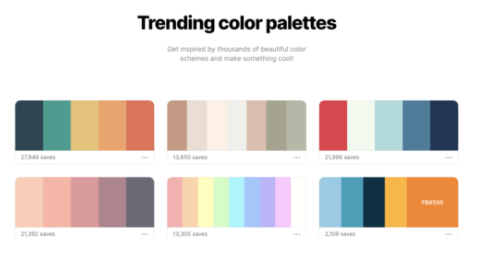
With this tool, you can both check out trending palettes and easily create your own with a color randomizer. The best feature is, if you find a color you like, you can “lock” that color and get complimentary tone options
Colormind
http://colormind.io/
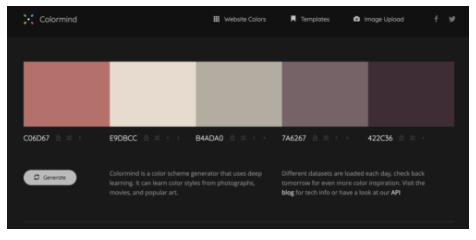
A pretty cool AI powered scheme generator where you can upload an inspiration image and create a pleasing palette based on the photo’s colors.
Adobe Color Wheel
https://color.adobe.com/create
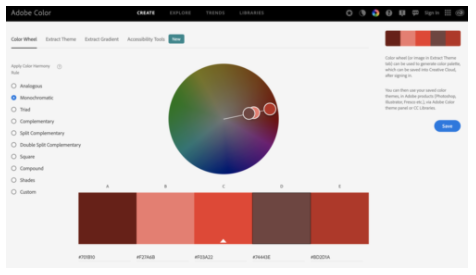
Dive even deeper into the world of color, hue, tone, and saturation with Adobe’s robust tool which also allows you to import your final color themes directly into Adobe products like Photoshop and Illustrator.
Canva’s 100 Color Combinations
https://www.canva.com/learn/100-color-combinations/
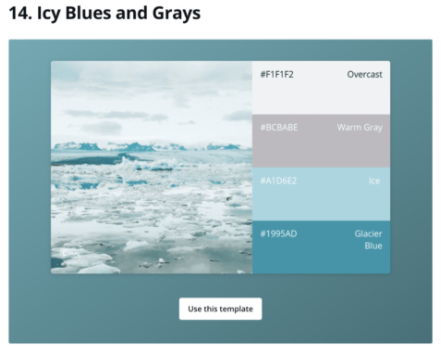
Last but not least is Canva’s list of 100 color combinations. This is a really fun resource to browse thru when you’re totally unsure of what you want your color vibe to be. With 100 different inspiration images, and their corresponding colors, you’re sure to find something you like!
I hope that helps! Have you had any success with other color tools? Let me know in the comments.
Keep at it,
Bernadette